
Venngage offers a variety of templates with ready-made table designs, or you can build your own table from scratch. Tables are a versatile way to present data clearly — here are a few types of designs you can create:
Gantt or Progress Charts
Track timelines, tasks, and milestones easily.
Example: Clinical Phases Gantt Chart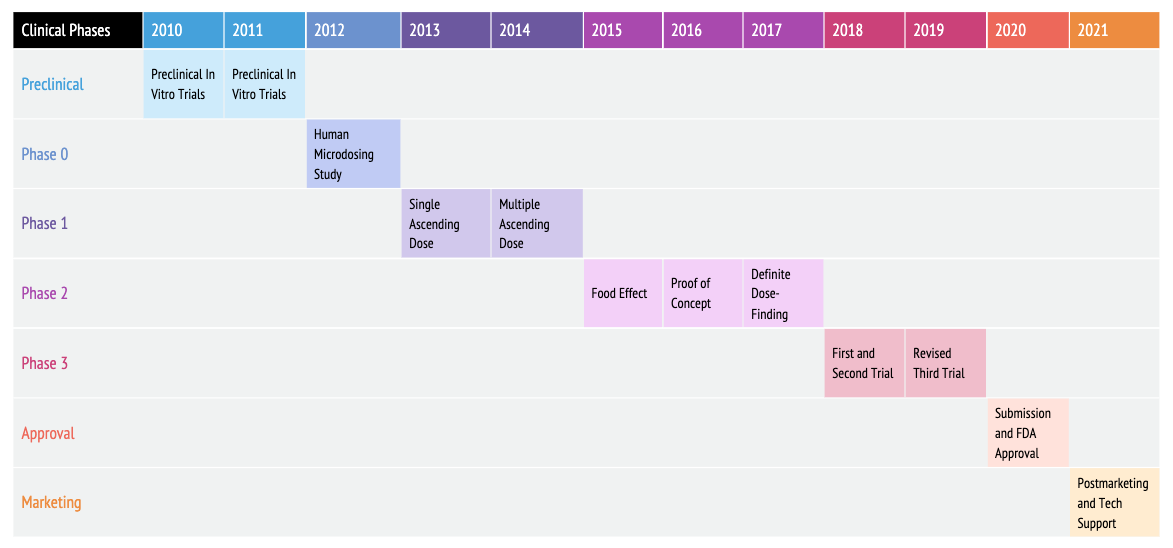
[See more Gantt chart templates here]
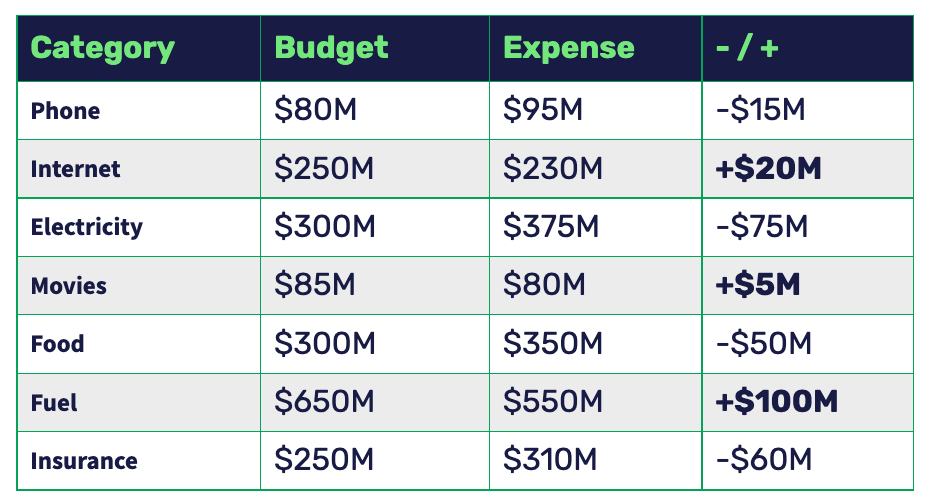
Comparison Charts and Lists
Compare features, options, or data side by side.
Example: Summary Report Expense Tracking Table
[See more comparison chart templates here]
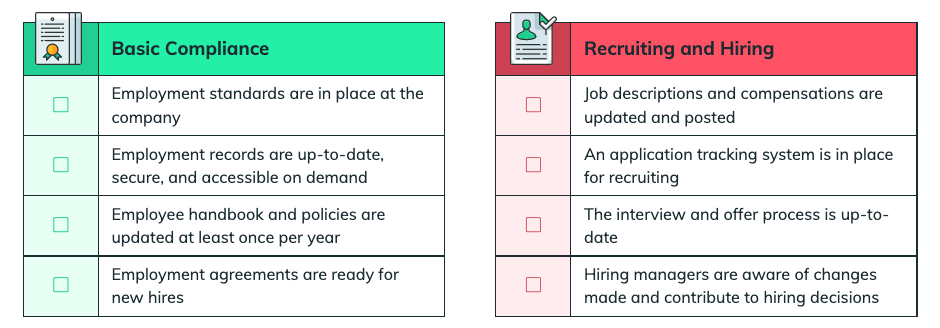
Checklists and To-Do Lists
Keep projects organized and track progress visually.
Example: HR Checklists for Basic Compliance, Recruiting and Hiring
[See more checklist templates here]
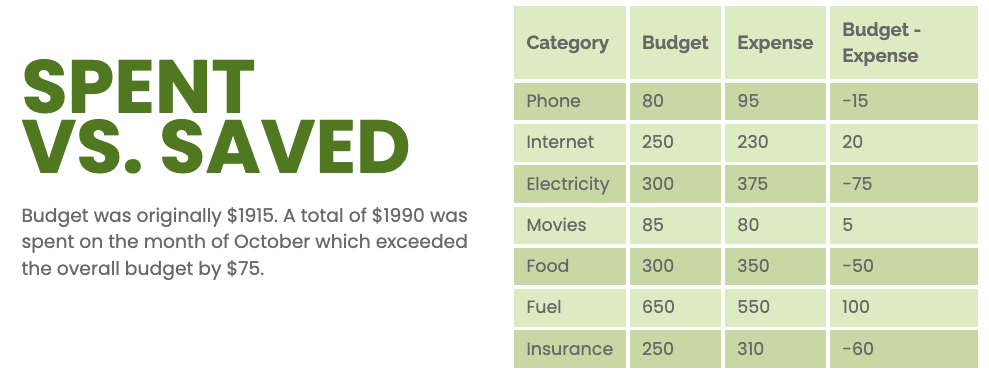
Budget Tables for Reports or Proposals
Show financial data or budget breakdowns in a clear, professional layout.
Example: Annual Report Budget Table
[See more budget report templates here]
How to Find Table Templates
You can find table designs directly from the Templates page or inside the Editor:
-
Go to the Templates page on Venngage.
-
Type “Table,” “Gantt,” “Checklist,” or any related keyword in the search bar.
-
Browse the results and click Create then select Edit Manually or Edit with AI to start editing your chosen template.
-
To add a new table manually, open your design, go to the Charts tab, and select Tables.
-
Drag and drop the table onto your canvas, then adjust rows, columns, and colors as needed.
👉 For a detailed walkthrough, check out this article:
Add a Basic Table to Your Design
Video Guide

Curious about upgrading? Compare our plan features side by side.